



9min read
React Native Performance Optimisation: Lessons from the ASER App
A survey app has to do more than display questions. Field workers may need to complete lengthy forms, move between records and submit information while dealing with interruptions or limited connectivity. When every action takes a few seconds longer than expected, collecting data becomes harder.
Centangle Interactive faced the challenge of designing a responsive data-collection experience while developing the ASER School Survey Mobile App. The project used React Native, asynchronous data fetching, virtualised lists and memoisation—techniques that address different sources of mobile app slowdown.
This article explains those techniques and what development teams can learn when optimising complex mobile applications.
ASER’s Mobile Survey Requirements
The Annual Status of Education Report (ASER) initiative collects information about education and learning in Pakistan. Centangle’s 2024 company profile describes a school-survey mobile app intended to support survey work across 154 districts. Its scope included digitising an extensive annual questionnaire and simplifying data entry through a minimalist interface.
The profile identifies React Native as the frontend framework and Yii 2 as the backend technology. It also explicitly names asynchronous data fetching, virtualised lists, memoisation and efficient rendering as performance approaches used on the project.
For enumerators, the challenge is practical: entering answers, finding the right records and completing surveys without unnecessary friction.
Project scope matters. Centangle has also published an ASER Mobile & Web Monitoring Dashboard case study covering administrative dashboards, validation, reporting and offline-capable workflows. Those capabilities belong to that separately described platform; the public sources do not establish that every feature was part of the React Native application documented in the 2024 profile.
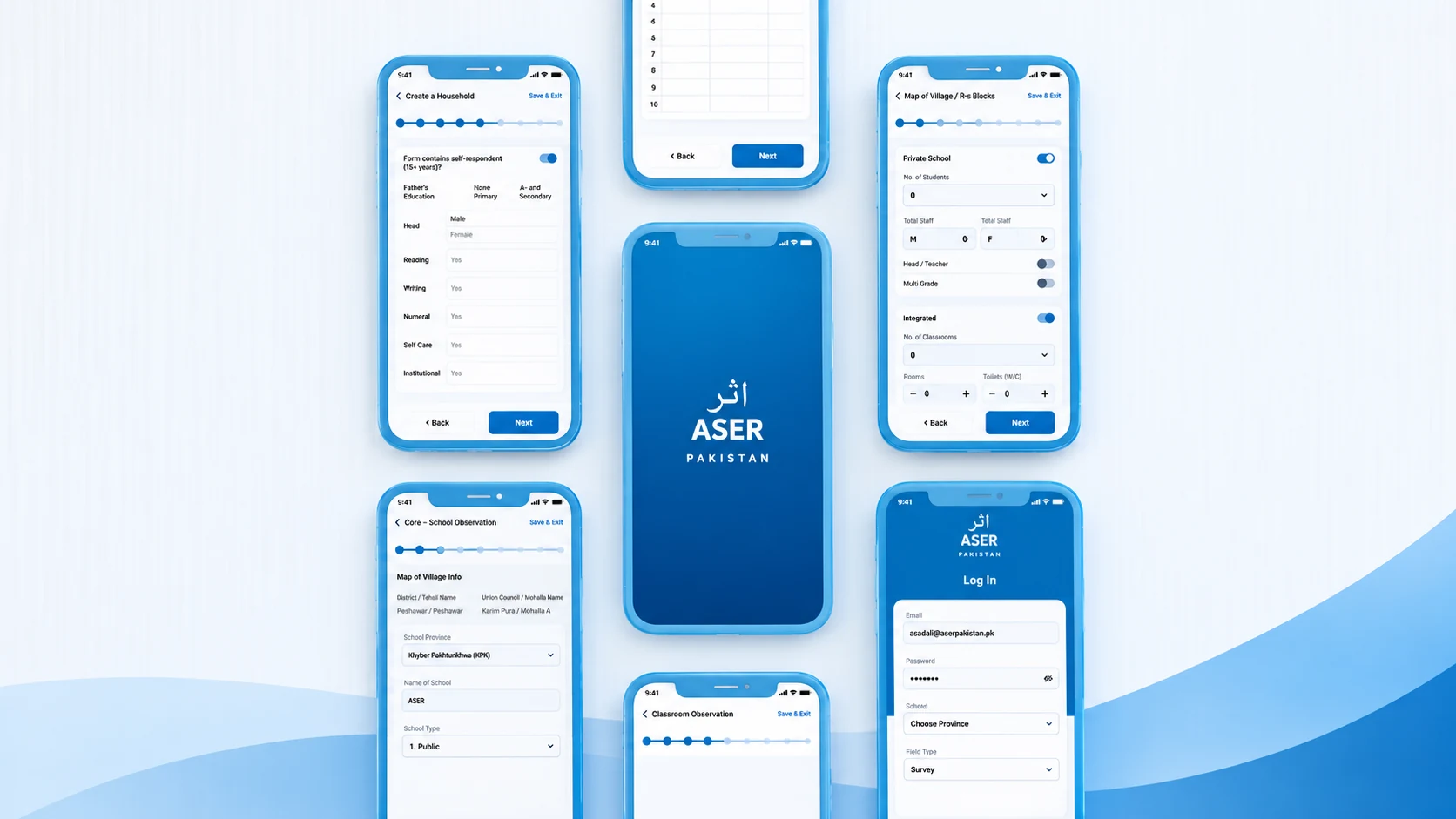
Suggested visual (subject to reuse approval): ASER School Survey Mobile App screens from Centangle’s 2024 company profile, page 32. Alt text: “ASER Pakistan mobile survey app screens showing digital questionnaires and login interfaces.”
Why Complex Forms and Large Datasets Affect React Native Performance
React Native does not eliminate the cost of rendering, data processing or network requests.
Consider a long questionnaire. When someone changes one answer, the app may need to validate that field, update its state and display dependent questions. If the update also causes unrelated sections to render again, typing or navigation can feel sluggish. Similarly, rendering a long directory of survey records all at once can consume memory and make scrolling less responsive.
The issue is how much work each interaction triggers. Focused state updates and manageable components help reduce that work.
React Native’s official performance guide explains common sources of dropped frames and JavaScript-thread delays. Those principles provide the technical context for the choices documented in ASER.
Asynchronous Data Fetching: Avoiding Unnecessary Waiting
Asynchronous data fetching was one of the approaches named in Centangle’s ASER project profile. It allows an app to request information without synchronously blocking JavaScript execution while waiting for the network response.
When someone opens a survey record, the interface can show a loading state while the backend request completes, then update with the returned data.
Asynchronous fetching does not make a slow server faster, reduce the cost of processing large responses or prevent unnecessary requests.
Teams building comparable applications should therefore assess three related decisions:
- Fetch selectively. Request only the records or fields needed for the current task, using pagination where a dataset is large.
- Avoid needless refetching. Consider caching stable data while defining when it must be refreshed.
- Design for failure. Explain loading, retry and error states so users can tell whether an action succeeded.
These are general recommendations, not claims that ASER used a particular caching library or pagination mechanism. The documented lesson is the use of asynchronous retrieval as part of an overall performance strategy.
Virtualised Lists: Rendering Records Efficiently
A screen showing hundreds of records does not need to mount every row at once. Virtualised list rendering, another technique confirmed in the ASER profile, reduces rendering overhead by keeping a limited window of items mounted as users scroll.
In React Native, FlatList builds on VirtualizedList to support this approach. It can be suitable for directories, survey histories and other record-heavy screens. The public ASER documentation confirms virtualised lists, but does not identify the exact component used.
For developers exploring React Native FlatList performance, several details deserve attention:
- Stable keys: Use consistent record identifiers so React can track items reliably.
- Lightweight rows: Keep each item focused and avoid unnecessary calculations during rendering.
- Measured configuration: Parameters such as
windowSizeandmaxToRenderPerBatchaffect memory, rendering speed and potential blank areas during fast scrolling. - Predictable layouts: Where row heights are known,
getItemLayoutcan avoid repeated layout measurement.
The official FlatList optimisation documentation explains these trade-offs. A smaller rendering window is not automatically better: reducing mounted items may lower memory use but also expose blank areas when users scroll quickly.
The principle is to prioritise visible records instead of rendering everything at once.
Memoisation: Making Form Updates More Focused
The third documented approach in ASER is memoisation, alongside efficient rendering strategies. This is especially relevant to forms in which one input change should not require expensive updates across unrelated components.
React provides several tools for different situations. React.memo can allow a component to skip rendering when its props are unchanged. useMemo caches the result of a calculation across renders when dependencies remain the same, while useCallback can preserve a function reference where that helps a child component.
For instance, a survey form may contain a large summary panel alongside the active question. When someone edits a response, the team can examine whether the summary performs unnecessary work and whether component boundaries or memoisation would address it.
These APIs are not universal speed switches. Adding memoisation without a measured need can complicate the code without improving performance.
Centangle’s profile confirms that the ASER team used memoisation, but it does not identify specific hooks or components. The wider lesson is to minimise avoidable rendering, not to assume a particular code pattern was implemented.
Offline Reliability Is a Related, Separate Requirement
An interface may be responsive yet unreliable if connectivity drops during a survey.
Centangle’s separately published ASER Mobile & Web Monitoring Dashboard case study describes offline-capable workflows. It does not establish which local-storage or synchronisation mechanisms were used in the earlier React Native app.
For development teams, offline support usually raises questions about preserving drafts, distinguishing saved data from submitted data, retrying interrupted requests and avoiding duplicates. These concerns involve local persistence and backend coordination; asynchronous fetching alone cannot solve them.
Treat offline reliability as a complementary design requirement, not as an undocumented performance feature of the 2024 ASER implementation.
React Native Performance Testing in Real Conditions
Performance decisions should be verified on devices that resemble those used in practice. A smooth development build on a fast device does not prove that a long form will feel responsive on a lower-powered phone.
React Native recommends testing performance in release builds, because development-mode overhead can distort measurements. Teams should also examine complete user journeys rather than one isolated screen.
Useful tests include scrolling large lists, entering long forms, retrieving records and recovering from network interruptions.
Rendering and responsiveness: Look for dropped frames or slow reactions to input. A problem may come from heavy JavaScript work, repeated component renders or expensive rows.
Memory usage: Check whether long lists, images or retained screens increase memory pressure on the target device.
Network behaviour: Measure request timings and observe how loading and error states behave under slower or disrupted connections.
React Native DevTools includes React-focused debugging and profiling capabilities. Android Studio and Xcode Instruments can help investigate platform-level performance.
Centangle’s published ASER profile does not provide before-and-after frame rates, load times or memory measurements. Those figures should only be added if the engineering team can supply an approved test method and results.
What Development Teams Can Learn from ASER
The ASER example is valuable because the documented techniques map to distinct engineering challenges, rather than representing one all-purpose fix.
Asynchronous fetching addresses how an interface handles requests for information. Virtualised lists limit the work involved in displaying large collections. Memoisation can help avoid repeated rendering when relevant inputs have not changed. The project’s minimalist interface also reflects an important usability decision: keep extensive surveys manageable for people entering data.
These measures are complementary: fast lists cannot fix slow APIs, and efficient fetching cannot fix expensive rendering.
The same reasoning applies to inspection tools, logistics applications, field-service platforms and other mobile systems that handle structured records. Start with the user’s task, find the source of friction, then test the smallest change that resolves it.
Frequently Asked Questions
How can I improve React Native app performance?
Profile slow interactions, reduce unnecessary rendering, virtualise lengthy lists and review network requests. Test improvements in release builds on representative devices.
How does FlatList improve performance?
FlatList uses virtualised rendering to limit how many items remain mounted. Its configuration balances memory consumption, responsiveness and the risk of blank spaces during fast scrolling.
Does asynchronous data fetching make an app faster?
It helps prevent network waits from synchronously blocking JavaScript execution. Actual loading speed still depends on the connection, server, response size and work performed after the data arrives.
Is memoisation always necessary in React Native?
No. Apply it when component profiling or the structure of the app shows that avoiding repeat work will help. Simpler state management may sometimes be the better fix.
Conclusion: Performance Begins with the Field Workflow
React Native performance optimisation is most useful when it responds to a real task. For ASER’s school-survey app, Centangle documented asynchronous fetching, virtualised lists, memoisation and a minimalist interface as part of building a workable data-collection experience.
The lesson for organisations developing mobile platforms is not to add every optimisation available. It is to understand the workload, remove avoidable delays and measure whether the experience improves.
If your team is planning a mobile application for complex forms, large datasets or field operations, explore Centangle’s Digital Platform Design & Delivery services to see how we approach application architecture, usability and implementation.
Key Takeaways
- ASER’s Mobile Survey Requirements
- Why Complex Forms and Large Datasets Affect React Native Performance
- Asynchronous Data Fetching: Avoiding Unnecessary Waiting
- Virtualised Lists: Rendering Records Efficiently
Final Thoughts
Lasting transformation comes from clear goals, honest process design, and technology chosen to support how your teams actually work—not the other way around. If this article resonated, we can help you translate insight into a practical roadmap.