

Complex Financial Management
Users needed a simpler way to manage budgets, expenses, income, bills, and goals without navigating complicated financial tools.

Financial Freedom
A research-led personal finance mobile experience designed for budgeting, expense tracking, bill management, financial goals, and visual financial insights.
Project Overview
Managing personal finances often requires users to move between spreadsheets, banking records, reminders, and separate budgeting tools. The Budget App was designed to bring these activities into one mobile experience where users could record transactions, monitor budgets, manage bills, review spending patterns, and work towards financial goals with greater clarity.
The Mandate
The requirement was to design a mobile application that could simplify complex financial tasks without removing the depth users need for meaningful planning. The experience needed to support income and expense tracking, budget allocation, recurring bills, categories, reminders, financial goals, trend analysis, and everyday decision-making through a clear and intuitive interface.
The Environment
Personal finance management can feel overwhelming when users rely on manual tracking, fragmented information, or tools that are too complicated for everyday use. Research highlighted the need for easier budget allocation, stronger goal tracking, better visualisation of spending patterns, future income planning, offline access, and more accessible financial guidance.
Our Role
Centangle worked across the complete product design process, including problem definition, competitive analysis, user interviews, persona development, feature planning, user flows, wireframes, interface design, visual system development, and high fidelity mobile screens. The work translated user frustrations and financial behaviours into a structured and practical app experience.
THE CHALLENGE
Users needed help managing budgets, bills, spending, savings, and financial goals, but existing solutions could feel overly complex, incomplete, or disconnected from everyday financial behaviour. Some users relied on spreadsheets or basic tools that required repeated manual effort and provided limited visibility into patterns and progress.
The challenge was to design an experience that could bring financial information together while remaining easy to understand. The app needed to support quick transaction entry, clear budget monitoring, bill reminders, useful financial insights, and longer-term planning without overwhelming users with unnecessary complexity.
Users needed a simpler way to manage budgets, expenses, income, bills, and goals without navigating complicated financial tools.
Transactions, recurring payments, spending categories, and savings progress needed to be brought into one connected mobile experience.
Users needed clearer charts and summaries to understand where money was going and how their financial behaviour changed over time.
Budget resets, missed bills, inconsistent tracking, and limited reminders made it harder for users to stay aligned with their financial plans.
THE SOLUTION
Centangle designed a structured personal finance app that combines budgeting, income and expense tracking, transaction history, recurring bill management, reminders, financial goals, and interactive insights within one mobile interface. The experience gives users quick access to essential financial tasks while using charts, categories, summaries, and notifications to make financial information easier to understand and act on.
System Architecture: Personal Finance Mobile App
Personal Finance Experience
Presents budgets, transactions, bills, goals, notifications, and insights through one mobile experience.
Supports income and expense entry, categorisation, budget tracking, filters, and transaction history.
Organises recurring bills, payment reminders, financial goals, milestones, and alerts.
Visualises income, expenses, trends, budget performance, categories, and financial progress.
Organises user information, account preferences, profile settings, and personal finance context.
Centralises amounts, dates, transaction types, categories, balances, and activity history.
Structures monthly budgets, recurring payments, saved categories, reminders, and financial goals.
Supports financial charts, comparisons, trend analysis, notifications, and summary views.
FEATURE 01
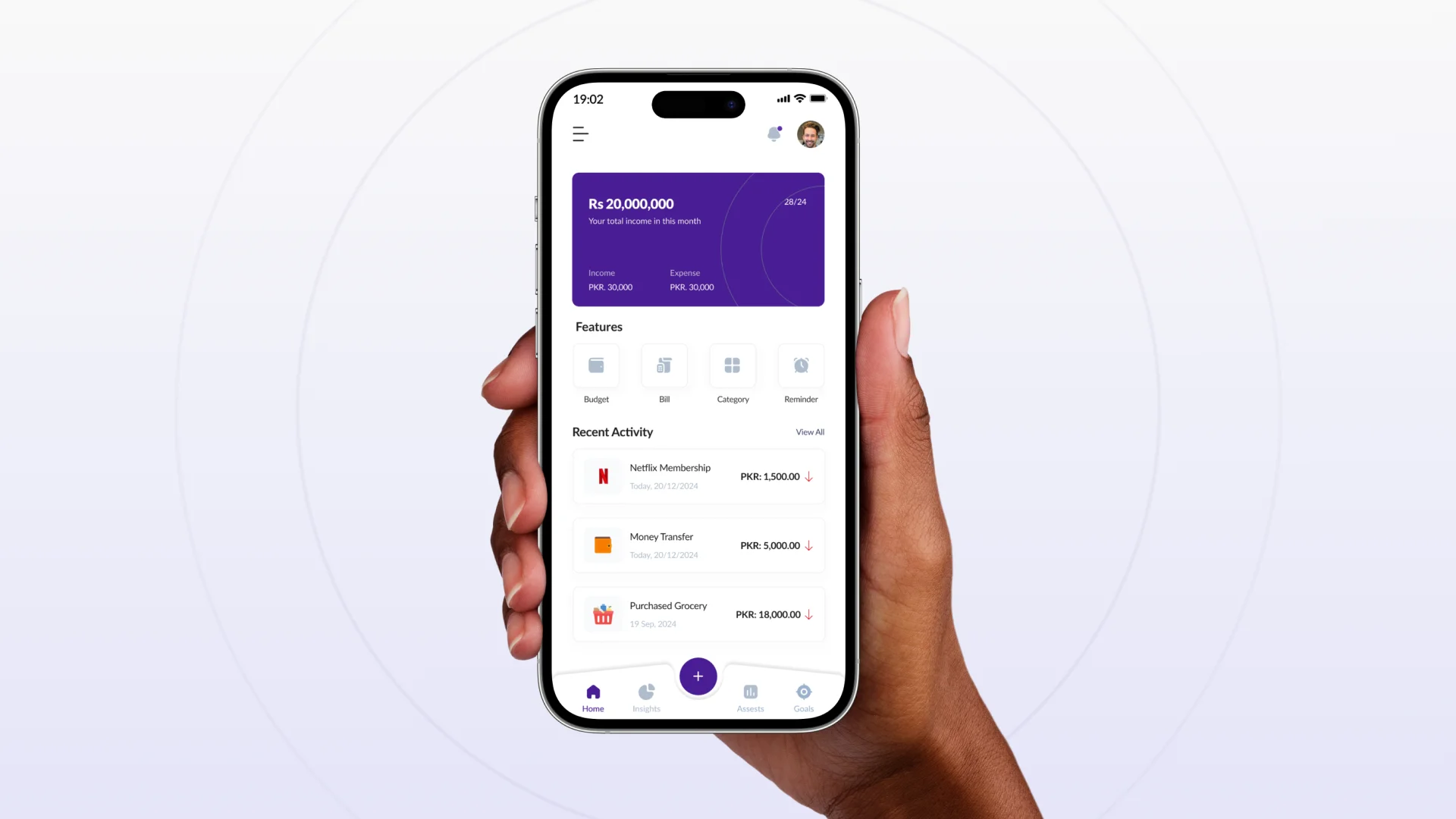
A central home screen gives users an immediate view of monthly income, expenses, recent activity, and quick access to budgets, bills, categories, and reminders.
FEATURE 02
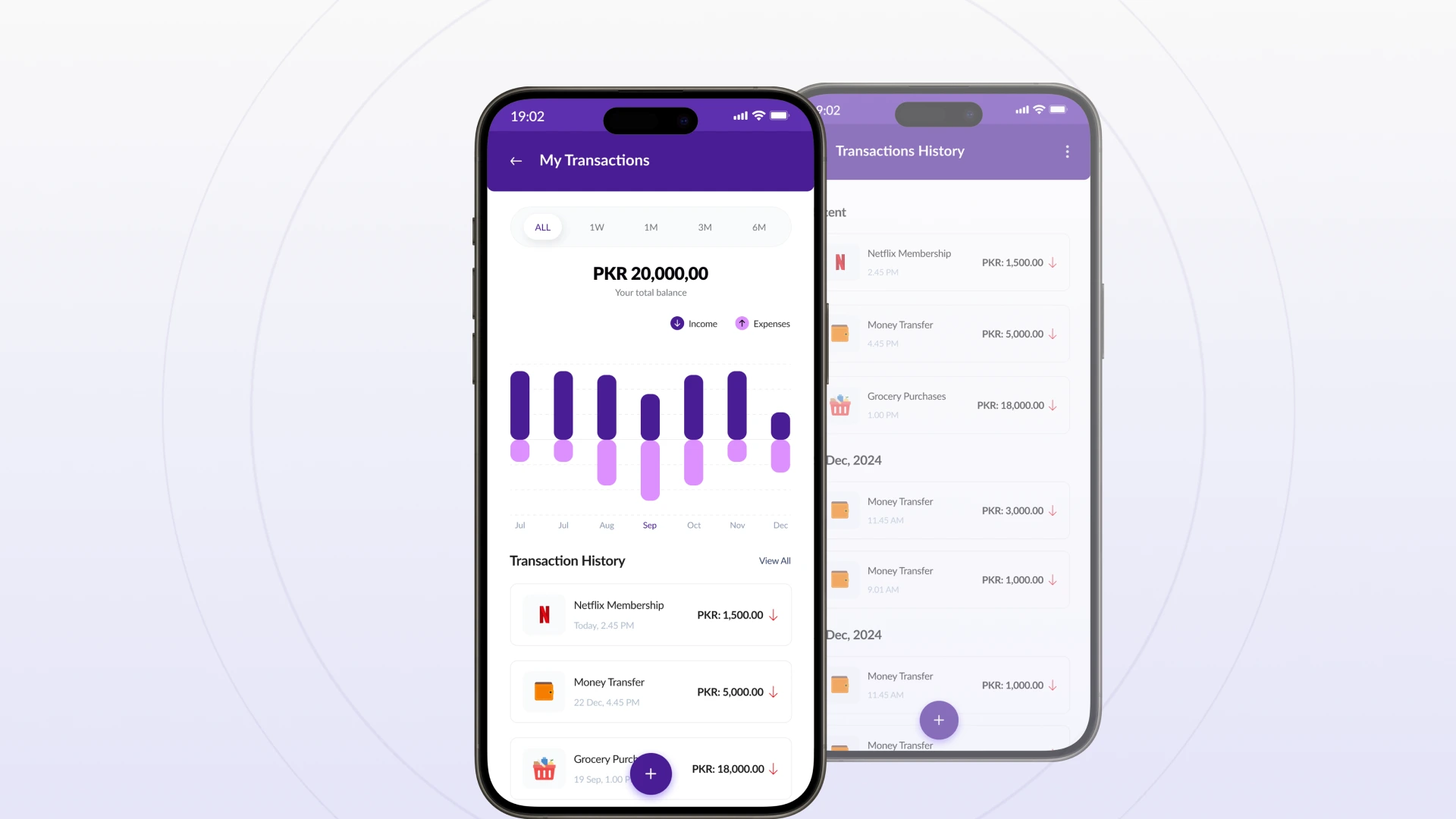
Users can record financial activity, select saved categories, add new categories, enter amounts, and maintain an organised history of everyday transactions.
FEATURE 03
Categorised records, time-based filters, and income-versus-expense charts help users review recent activity and understand longer-term financial movement.
FEATURE 04
Budget views bring income, expenditure, remaining balances, monthly performance, and historical trends into one structured planning experience.
FEATURE 05
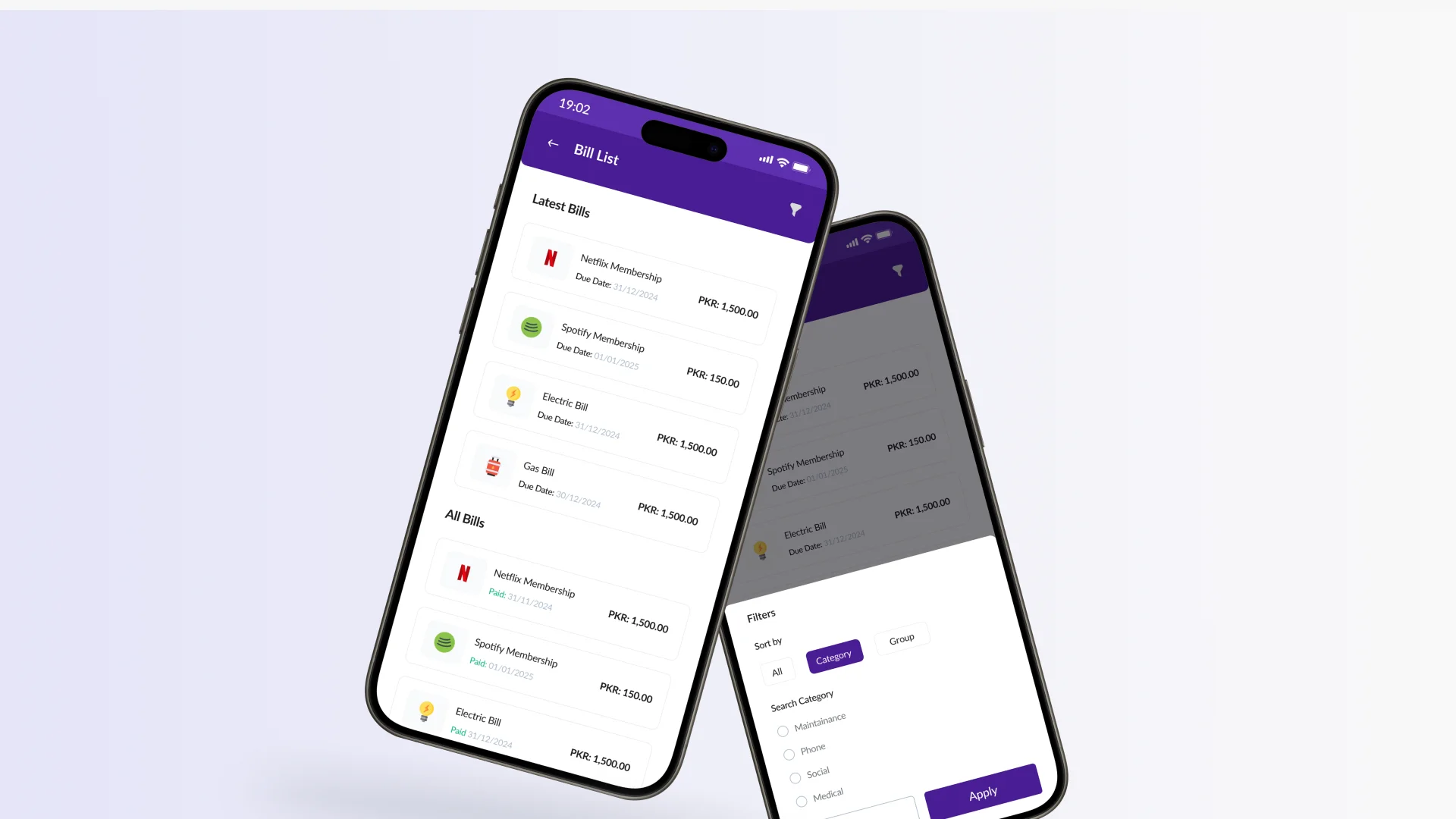
Users can organise recurring bills, review payment status, filter bill records, and receive alerts for due dates, financial tasks, and important milestones.
FEATURE 06
Interactive charts, category breakdowns, income sources, expenditure patterns, and trend views help users understand financial behaviour and plan more confidently.
The Budget App followed a user-centred product design process focused on understanding financial behaviour, studying existing solutions, structuring the experience, validating navigation, and producing a clear mobile interface.
PHASE ONE
Understanding everyday budgeting challenges, financial goals, current tools, behavioural patterns, technology comfort, and user expectations.
PHASE TWO
Reviewing established budgeting applications to compare their features, user interfaces, financial tracking capabilities, goals, reports, and reminder systems.
PHASE THREE
Translating research into user personas, product requirements, navigation structures, and connected financial journeys.
PHASE FOUR
Creating low fidelity wireframes before defining the app’s typography, colour system, components, layouts, and detailed mobile interfaces.
PHASE FIVE
Reviewing the app experience, refining navigation and feature placement, improving interface clarity, and preparing the final product case study.
The project translated complex budgeting activities into a more structured and approachable mobile product. By connecting transactions, budgets, recurring bills, reminders, goals, and visual insights, the design created a stronger foundation for users to understand their financial position and manage everyday money decisions.
WORK WITH US
Centangle helps fintech and consumer product teams design mobile applications that simplify financial tasks, improve information visibility, and support more confident user decisions.