

Manual and Inconsistent Reviews
Repeated manual checks increased administrative effort and made it difficult to maintain consistent review and decision-making processes.

Provincial Disaster Management Authority, Khyber Pakhtunkhwa
A role-based government platform designed to digitise NGO applications, official reviews, NOC approvals, project monitoring, reporting, and compliance management.
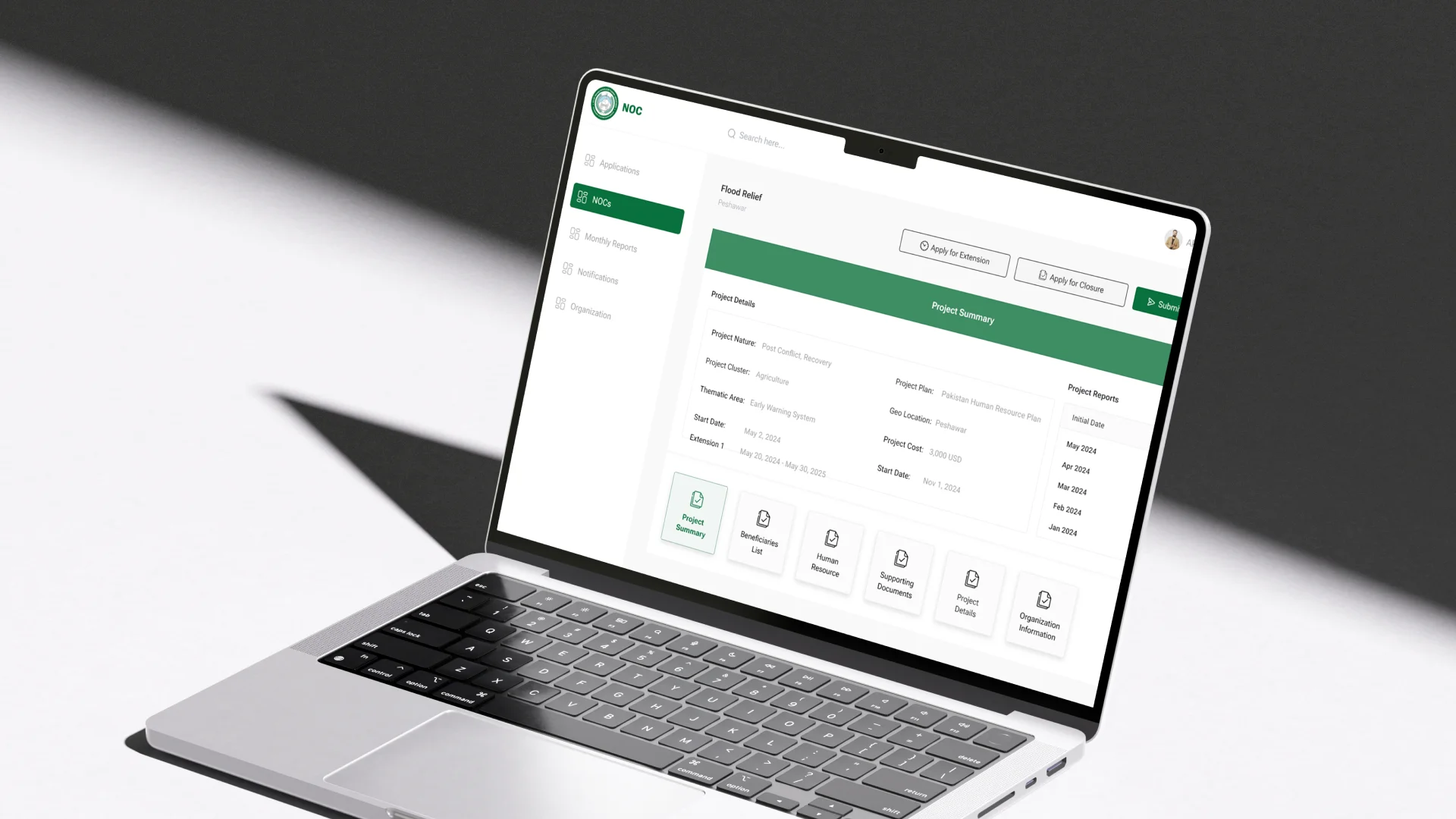
Project Overview
The KPK NOC Management System was designed to replace fragmented and manually intensive processes with a structured digital workflow. The platform enabled NGOs to submit applications and supporting documents while giving NOC officials a central environment for reviewing records, communicating revisions, issuing approvals, monitoring active projects, and maintaining greater visibility across the complete NOC lifecycle.
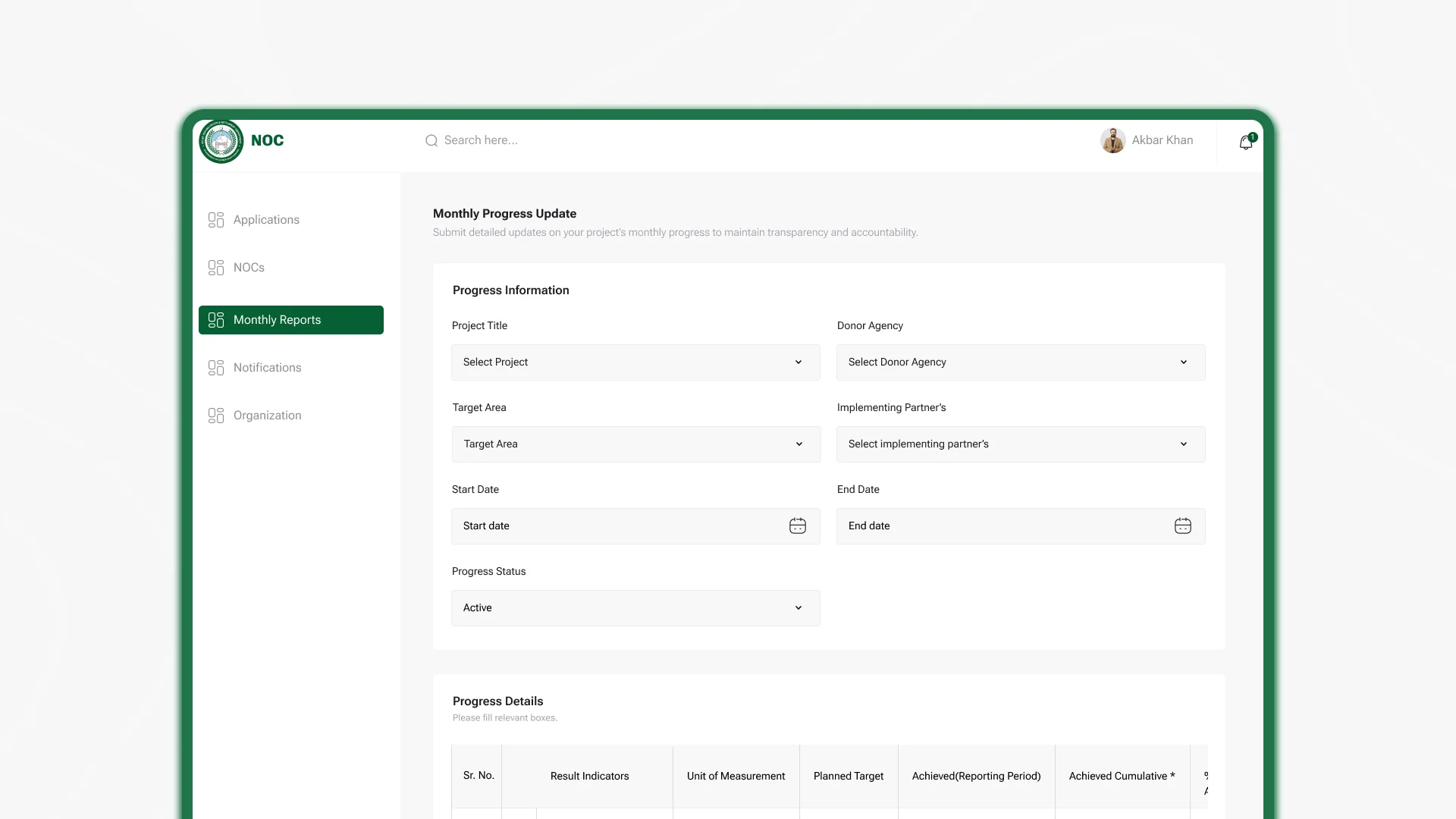
The Mandate
The requirement was to simplify NOC applications for NGOs while giving government officials stronger control over reviews, approvals, records, and project monitoring. The system needed to support role-based access, guided submissions, document management, review actions, application status visibility, approved NOC records, extensions, monthly reporting, reminders, and administrative oversight.
The Environment
NOC issuance involves applicants, government reviewers, supporting documents, project plans, approvals, deadlines, extensions, and compliance records. When these activities are managed through disconnected files and manual communication, applicants receive limited visibility while officials face repeated follow-ups, inconsistent reviews, delayed notifications, and difficulty monitoring projects after approval.
Our Role
Centangle worked across user research, process understanding, information architecture, user flow design, visual system development, dashboard design, module planning, and high fidelity web application interfaces. The work translated a complex administrative process into clearer journeys for NGO applicants, NOC officials, reviewers, and system administrators.
The Challenge
Manual reviews were time-consuming, vulnerable to errors, and difficult to standardise. Applicants had limited visibility into their status and documentation requirements, while officials worked across fragmented tools that made application tracking, collaboration, notifications, and approval management more difficult.
The challenge extended beyond digitising the application form. The platform also needed to manage official reviews, revision requests, approved NOCs, project progress, monthly reports, extensions, closures, organisational records, reminders, and administrative controls without creating a complicated experience for applicants or government teams.
Repeated manual checks increased administrative effort and made it difficult to maintain consistent review and decision-making processes.
NGOs needed clearer guidance on documentation, application progress, pending actions, and official decisions.
Reviewers lacked one central environment for examining applications, sharing comments, forwarding records, and tracking approvals.
Once an NOC was issued, project progress, reporting, extensions, and compliance required a more structured monitoring process.
The Solution
Centangle designed a role-based web application that brought NGO registration, guided NOC applications, document submission, official review, revision management, approved NOC records, progress reporting, extension requests, notifications, dashboards, and administrative configuration into one structured environment. The experience improved visibility for applicants while giving officials stronger control across application processing and post-approval monitoring.
System Architecture: KPK NOC Management System
Applicant and Official Experience
Provides role-based access to applications, reviews, NOCs, reports, notifications, and administration.
Manages guided submissions, document reviews, comments, revisions, forwarding, and approval decisions.
Supports approved NOCs, progress reports, extensions, closures, deadlines, and compliance monitoring.
Administration and Communication
Stores NGO profiles, contacts, staff information, project history, and organisational records.
Centralises forms, work plans, project details, documents, review comments, statuses, and decisions.
Organises approved projects, monthly reports, supporting evidence, extensions, closures, and compliance activity.
Supports analytics, notifications, audit visibility, project tracking, and administrative reporting.
FEATURE 01
A structured four-step process guides NGO users through project summaries, work plans, project details, and document uploads, helping improve completeness and reduce submission errors.
FEATURE 02
Officials can examine submitted information, review supporting documents, leave comments, forward applications internally, and return records to applicants for revision.
FEATURE 03
Approved applications are maintained as central project records containing summaries, documents, beneficiaries, funding information, work plans, legal frameworks, and reporting history.
FEATURE 04
NGOs can submit monthly reports while monitoring officers and NOC officials review progress through a structured approval process supported by due-date notifications.
FEATURE 05
NGO users can request project extensions with updated work plans and supporting documents, while officials review applications and monitor compliance requirements.
FEATURE 06
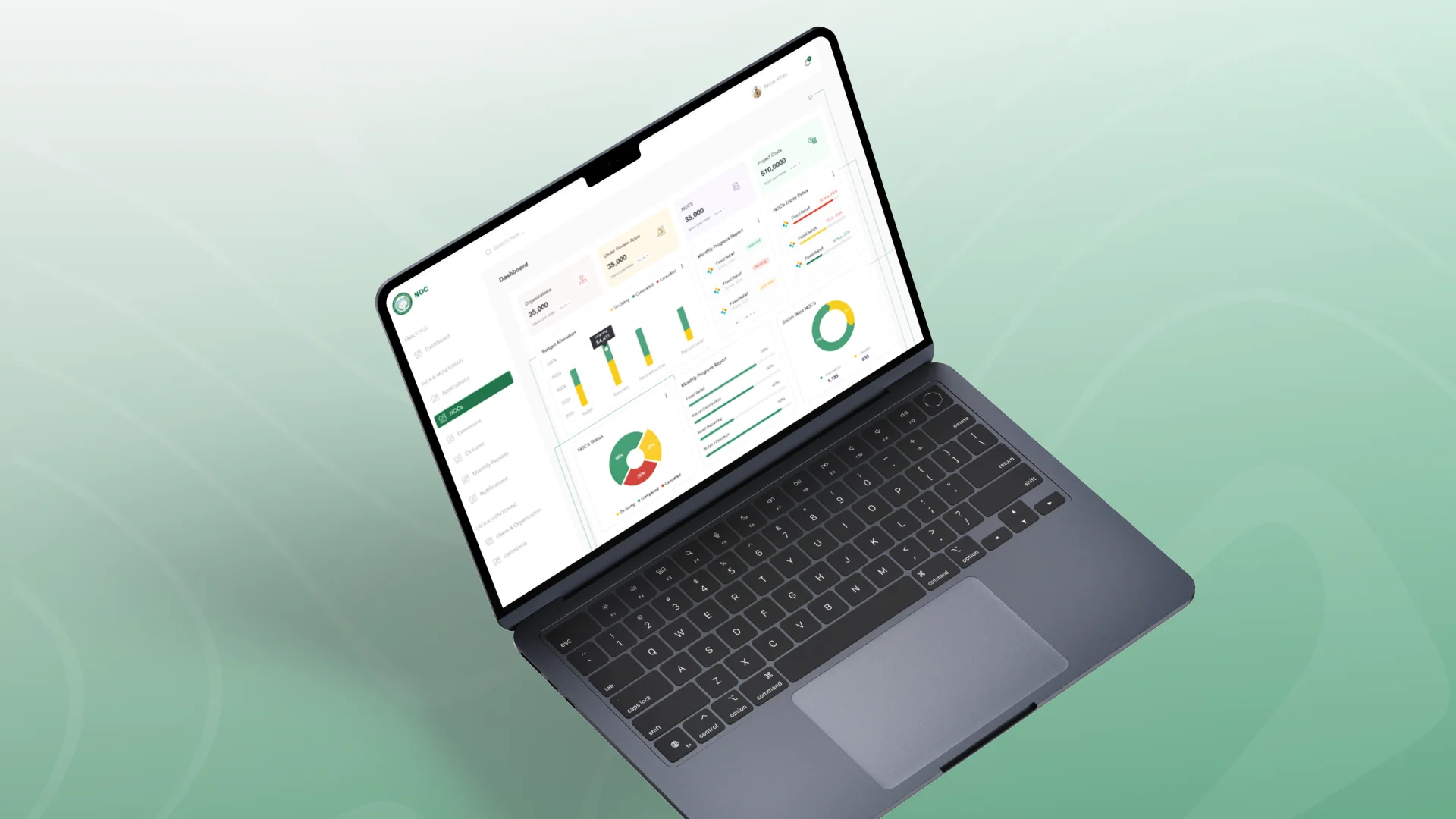
Central dashboards, notifications, organisation records, role management, platform definitions, and reporting views give administrators stronger system-wide oversight.
The project followed a user-centred design process focused on understanding existing NOC workflows, identifying applicant and official pain points, planning role-based journeys, and designing a clear government web application.
PHASE ONE
Reviewing the existing NOC issuance process, analysing application records, and gathering insights from NOC officials and staff.
PHASE TWO
Structuring the platform around NGO users, officials, administrators, applications, NOCs, reports, extensions, closures, and organisation records.
PHASE THREE
Developing the government-aligned visual language, typography, colours, reusable components, and interface hierarchy.
PHASE FOUR
Designing the dashboard, applications, review workspace, approved NOCs, monthly reports, extensions, notifications, organisations, and admin management.
PHASE FIVE
Reviewing user journeys, refining navigation and interface clarity, validating key workflows, and preparing the final design direction.
The platform design created a structured foundation for managing the complete NOC lifecycle, from applicant registration and submission to official review, approval, project monitoring, reporting, and extensions. By centralising records and introducing role-based workflows, dashboards, reminders, and audit visibility, the solution was designed to reduce administrative dependency and improve transparency across stakeholders.
WORK WITH US
Centangle helps public sector and institutional teams design platforms that reduce manual coordination, improve process visibility, and create clearer experiences for applicants and administrators.