




12min read
A purchase request can be marked “Approved” and still be far from complete. Finance may not have received the information. The purchasing team may be waiting for a document. The employee who submitted it may have no idea who owns the next step.
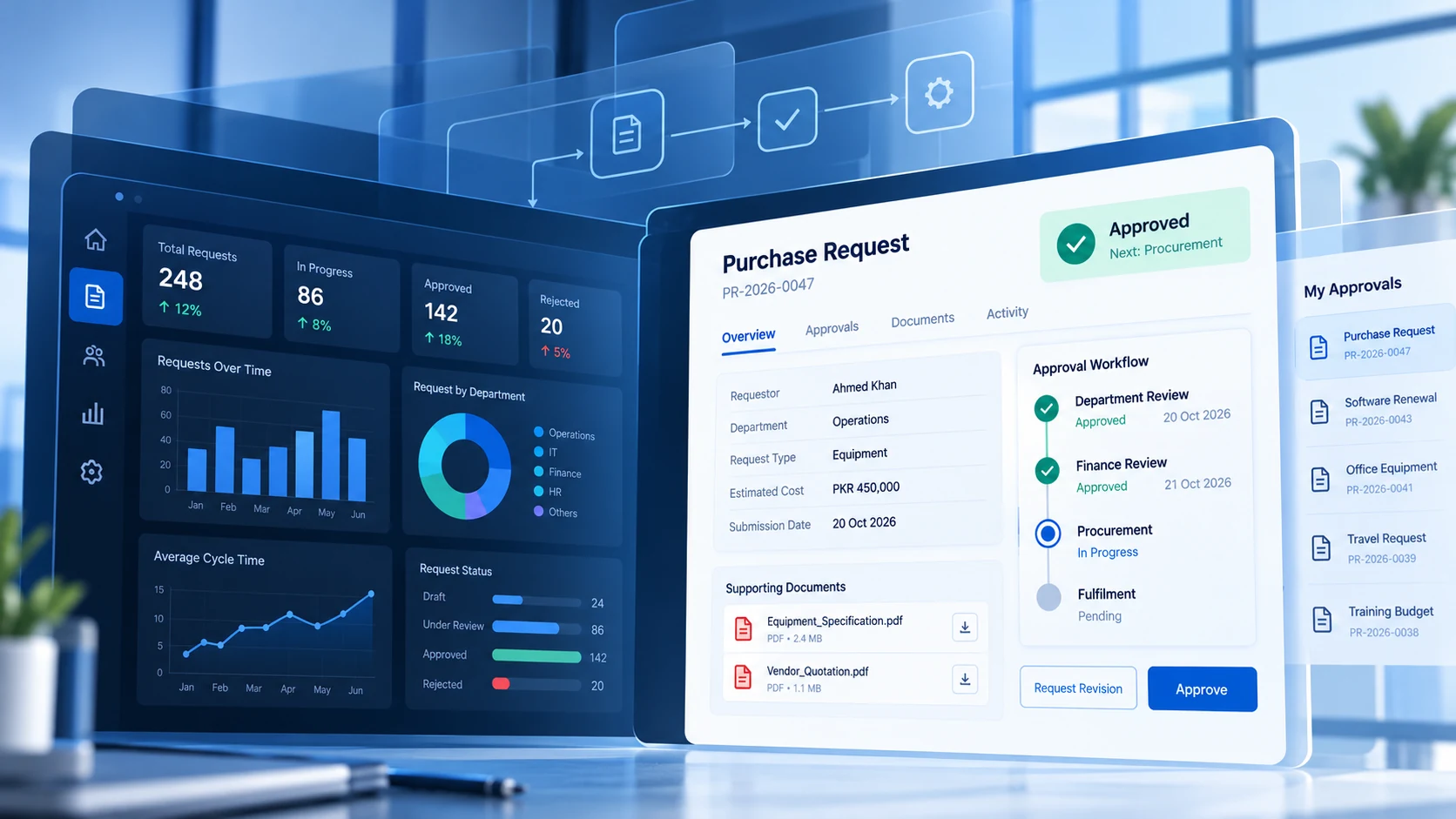
An attractive dashboard can show the request’s status. It cannot, by itself, resolve unclear responsibilities, missing handovers, or disconnected systems.
This is the difference between displaying a process and supporting one. Effective custom workflow development begins with the decisions people make, the information those decisions require, and the rules that move work forward. Dashboards, forms, notifications, and reports are then designed around that operational foundation.
For enterprises managing approvals across teams, the question is not simply, “What should users see?” It is, “What must happen next, and who is authorised to make it happen?”
What Is Workflow-First Enterprise Platform Development?
Workflow-first development means translating a real business process into a digital sequence of actions, decisions, responsibilities, and outcomes. Rather than starting with a list of screens, the team identifies what triggers the process, the conditions that govern each stage, and how completion will be confirmed.
In internal business systems, this might involve procurement requests, employee onboarding, grant applications, field inspections, or case reviews. Each process has a different structure, but all need a reliable way to coordinate people and records.
IBM’s explanation of workflow automation distinguishes software-supported process execution from activities that would otherwise depend on manual intervention. Automation can accelerate particular steps; workflow-first design makes sure those steps form a coherent end-to-end process.
A dashboard remains useful, but it should not be mistaken for the process itself. Centangle’s Enterprise Digital Platform Development guide explores the wider architectural questions of system integration, data ownership, and platform delivery. Here, the focus is narrower: how a workflow becomes software people can actually use to get work done.
From Purchase Request to Completed Workflow: A Practical Example
Consider an illustrative organisation where employees submit equipment purchase requests. A departmental manager reviews each request, finance checks the budget, and the purchasing team fulfils approved orders.
Without a designed workflow, the request might pass through email attachments, spreadsheet trackers, verbal reminders, and an ERP system. A digital form would remove only one part of that friction. The process also needs rules for ownership, decisions, exceptions, and completion.
1. Capture the Request and Check Its Completeness
The employee selects an equipment category, enters a business justification, adds an estimated cost, and attaches any required documents. Before the request can be submitted, the application checks the mandatory fields and relevant formatting rules.
An incomplete submission should remain in Draft or move to Revision Required, rather than silently entering an approval queue. The requester needs a clear explanation of what to correct and a way to resubmit without starting over.
2. Route the Request to the Right Decision-Maker
A completed request moves to the employee’s designated manager. Assignment may depend on department, location, request type, or value. The system should record who owns the next action, when it was assigned, and what decisions that person is allowed to make.
For example, a manager may approve requests below a defined threshold while higher-value requests require an additional review. Those limits are business rules, not visual choices on a dashboard.
3. Handle Approvals, Rejections, and Revisions
A reviewer needs more than Approve and Reject buttons. They may need to request clarification, return a document, delegate a review where policy permits, or flag a potential conflict.
Each outcome should lead to a defined next state. If a request is returned for revision, the system should notify its original owner and preserve the review history. If rejected, it should record the decision and close the appropriate path. If approved, it should move only to the next authorised stage, not automatically to fulfilment.
4. Coordinate Finance and Purchasing Without Duplicate Entry
Finance checks the available budget and records its decision. Once all required approvals are in place, the platform can pass the relevant information to an ERP or procurement application through an appropriate integration.
The integration should distinguish between sent, received, and successfully processed. If a transfer fails, the request must not be shown as fulfilled simply because an API call was attempted. A controlled retry or a human follow-up may be required.
5. Close the Loop and Make Performance Visible
The process ends when the order has been fulfilled, the relevant record is updated, and the requester can see the outcome. Managers can then examine how long each stage took, where requests stalled, and which types of corrections recur.
The resulting dashboard is meaningful because it is connected to actual decisions and recorded events. It reflects work completed through the system rather than status labels entered manually.
Five Design Decisions That Make Workflow Software Reliable
A workflow map explains the intended journey. Development teams must also decide how that journey will behave under normal conditions and when something goes wrong.
Define States, Transitions, and Ownership
“Pending” is often too vague to be useful. Is the request pending validation, managerial approval, finance review, or fulfilment? Each state should have a clear meaning, an accountable owner, and permitted next actions.
A simple state model might be Draft → Submitted → Manager Review → Finance Review → Fulfilment → Completed, with alternative routes for revisions, rejections, and cancellations. This is an illustrative model; the actual states should reflect organisational policy.
Developers should enforce transitions in application logic. A user editing a status field must not be able to bypass a mandatory review. Every significant transition should retain an appropriate timestamp and decision record so that teams can investigate what happened later.
Match Permissions to the Decision, Not Just the Job Title
Role-based access control software assigns capabilities to users according to their responsibilities. But complex workflows also need context. A manager may be allowed to approve a request only within their department, only below a spending limit, or only when they are not the requester.
That means access checks may combine a user’s role with the record’s owner, value, department, and current state. These checks belong in the backend, not just in hidden or disabled buttons.
The OWASP Authorization Cheat Sheet recommends least privilege, denying access by default, and checking permissions on every request. For workflow platforms, those principles are particularly important when an action changes a financial, legal, or administrative record.
Integrate Systems While Preserving Data Ownership
A workflow may need employee information from HR, budget information from finance, and purchasing records from an ERP. Before connecting them, teams need to agree which system is authoritative for each data element.
For example, a workflow application might read an employee’s department from an HR system while maintaining its own approval history. Copying everything into another database without clear ownership can create conflicting records. Integration design should address validation, duplicate submissions, identifiers, and the consequences of an interrupted transaction.
This is where workflow-based web application development becomes more demanding than building a collection of forms: the application must preserve a consistent business process across system boundaries.
Design the Unhappy Paths Before Launch
What if a manager is absent? What if a document is invalid? What if finance rejects a request after departmental approval? What if the purchasing system is temporarily unavailable?
For every critical step, specify what can fail, how the failure will be detected, who will be informed, and how work can resume safely. Timeouts, escalations, reassignment rules, and retry limits should follow business policy rather than being improvised after deployment.
Microsoft’s guidance on robust workflow error handling illustrates using failure conditions, logging, and notifications in Power Automate. The precise implementation will differ across technologies, but the design lesson is widely applicable: unsuccessful actions need explicit paths, not silent assumptions of success.
A good exception strategy also protects the audit trail. A corrected request should not erase the fact that an earlier version was rejected or returned for changes.
Make Dashboards Actionable for Each User
Custom dashboard development should begin with a user’s decisions, not a list of available chart types. A requester needs updates and correction tasks. A manager needs a prioritised approval queue. Finance needs budget-related exceptions. An operations lead needs bottleneck and completion data.
A useful dashboard answers three questions: What needs attention? Why is it here? What can this user do next?
Where appropriate, action buttons should lead directly to the relevant record and permitted next step. A status indicator without a route to resolution risks becoming another place to monitor unresolved work.
How to Turn Workflow Discovery Into a Working Platform
The development process works best when business owners and technical teams test the same real-world scenarios, rather than reviewing screens in isolation.
Start with observed work. Follow several representative requests from initiation to closure. Ask employees to show which spreadsheets they update, where they send reminders, and how they handle missing information. Record deviations as carefully as the ideal process.
Agree on rules and responsibilities. Define workflow states, approval thresholds, decision ownership, delegation policies, and who can reopen or cancel a request. Unresolved policy questions should not be hidden inside software requirements.
Prototype the complete journey. A clickable form is useful, but a more revealing prototype includes the requester, reviewer, finance user, and administrator. Show what each person sees when a request is submitted, returned, approved, or delayed.
Test permissions and exceptions. Validate normal processing alongside unauthorised actions, missing attachments, duplicate submissions, approval reversals, integration failures, and unavailable reviewers. Check that notifications and audit records reflect the real outcome.
Release, measure, and refine. A phased launch can expose unexpected exceptions before a workflow is rolled out organisation-wide. Monitor actual use and revise rules or interfaces where employees continue to rely on workarounds.
The goal is not to reproduce every manual step in software. It is to retain necessary controls while simplifying steps that add little value.
When Do You Need Custom Workflow Development?
Many enterprise workflow automation tools already support forms, approvals, notifications, and common integrations. If the process is relatively standard and fits the organisation’s security and governance requirements, configuring an existing solution may be sufficient.
Custom development becomes more relevant when processes involve unusual approval rules, complex record relationships, multiple stakeholder groups, legacy integrations, or detailed access restrictions that existing products cannot accommodate reliably.
The decision should consider not only initial development costs but also licensing, maintenance, support, data control, integration effort, and the cost of changing the process over time.
A useful starting question is: Which requirements are essential to the business, and which can be adapted to an existing system? That distinction often determines whether a configurable platform or a custom-built application is the better fit.
A Centangle Example: Designing KPK’s NOC Review Workflow
Workflow-first thinking also applies to public-sector application management, where decisions must be traceable and applicants need to understand what happens after submission.
Centangle’s work on the KPK NOC Management System focused on designing a role-based web application for NGO No Objection Certificate processes in Khyber Pakhtunkhwa. The documented requirements included applicant registration, supporting documents, official reviews, revision requests, approval stages, notifications, extensions, monitoring, and reporting.
An applicant submitting documents needs a very different interface from an official reviewing eligibility or an administrator overseeing pending cases. The relationship between those roles informed the user journeys, information architecture, review actions, and dashboard concepts.
Centangle’s published KPK NOC Issuance System case study describes its contribution in user research, workflow analysis, and web application UI/UX design. It is an example of translating a complex administrative journey into a more structured digital experience; it should not be read as an independently measured claim about post-launch performance.
The wider lesson is relevant to enterprise teams: the quality of a platform depends on whether each participant can complete their part of the process with clear information, appropriate permissions, and a visible next step.
How to Measure Whether the Workflow Improved
Once the system is in use, evaluate operational outcomes against a baseline instead of simply counting how many forms or dashboards were delivered.
Useful measures include median end-to-end completion time, time waiting at each approval stage, requests returned for missing information, exceptions requiring manual intervention, and percentage of work completed inside the platform rather than through email or spreadsheets.
These metrics need context. A complex request may legitimately require more review than a routine one. Segmenting results by request type and value helps teams identify genuine bottlenecks without encouraging staff to rush necessary checks.
When the workflow generates reliable event data, management reporting becomes more trustworthy. Teams can then target improvements at the stages causing the most friction.
Build Systems That Help Work Move Forward
A polished interface can make a process easier to see. A thoughtfully designed workflow makes that process easier to complete.
The difference lies in the details: clear ownership, enforceable approval rules, secure access, reliable handovers, meaningful exception handling, and dashboards connected to real actions. These are the foundations of custom workflow development that supports day-to-day enterprise operations.
Centangle designs internal business systems, approval platforms, and connected operational applications around the needs of the organisations that use them. If your team is working around spreadsheets, disconnected approvals, or software that does not match its processes, explore Centangle’s Custom Software Development services to discuss a more practical way forward.
Frequently Asked Questions
What is the difference between a dashboard and a workflow management system?
A dashboard presents information and may offer actions; a workflow management system defines and coordinates the process behind those actions. A well-designed enterprise application can combine both.
What is custom approval workflow development?
It is the design and implementation of a specific approval process in software, including submission requirements, decision rules, user permissions, review stages, notifications, and handling of rejections or exceptions.
How does role-based access control work in internal business systems?
RBAC assigns permissions according to a user’s role. Enterprise workflows may also apply additional conditions, such as record ownership, department, transaction value, and current approval stage.
Can custom workflows connect to an existing ERP system?
Often, yes, when the ERP offers supported integration methods. The solution must define data ownership, validation, error handling, and how the workflow confirms that information has been successfully
Key Takeaways
- What Is Workflow-First Enterprise Platform Development?
- From Purchase Request to Completed Workflow: A Practical Example
- 1. Capture the Request and Check Its Completeness
- 2. Route the Request to the Right Decision-Maker
Final Thoughts
Lasting transformation comes from clear goals, honest process design, and technology chosen to support how your teams actually work—not the other way around. If this article resonated, we can help you translate insight into a practical roadmap.